Your social media, made and published by AI
Give Studio OS a product photo, a raw video or one line of text. It writes the hook, builds the post, carousel or reel in your brand, and publishes to Instagram and Facebook after you approve.
Everything a content team does, in one studio
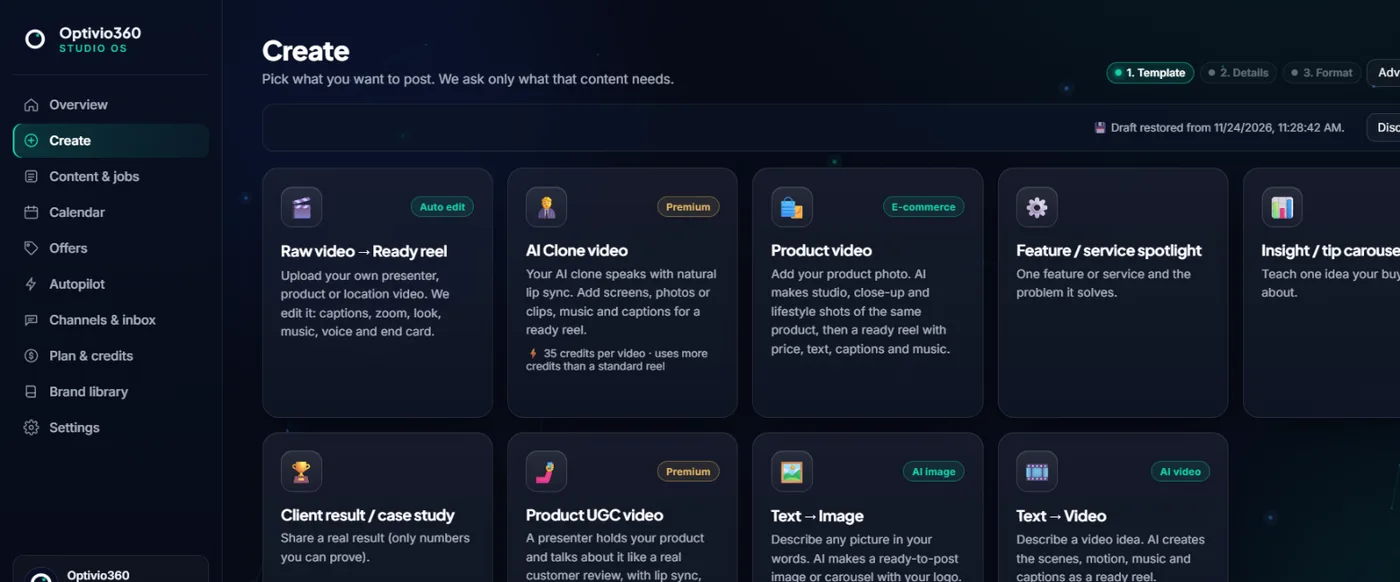
Raw video → ready reel
Upload a presenter, product or location video. AI removes retakes and off-camera voices, then adds captions, zoom, music and your end card.
AI clone videos
Your face and voice speak your script with natural lip sync, cut with screens of your product. Built only after the person gives video consent.
Product video
Add one product photo. AI makes studio, close-up and lifestyle shots of the same product, then a ready reel with price, text and music.
Text → image and video
Describe it in your words. AI builds the brief, the visuals and a ready post, carousel or reel with your logo.
Brand brain
Your website, brochures and links teach the AI your offers, tone and keywords once. Every post follows it.
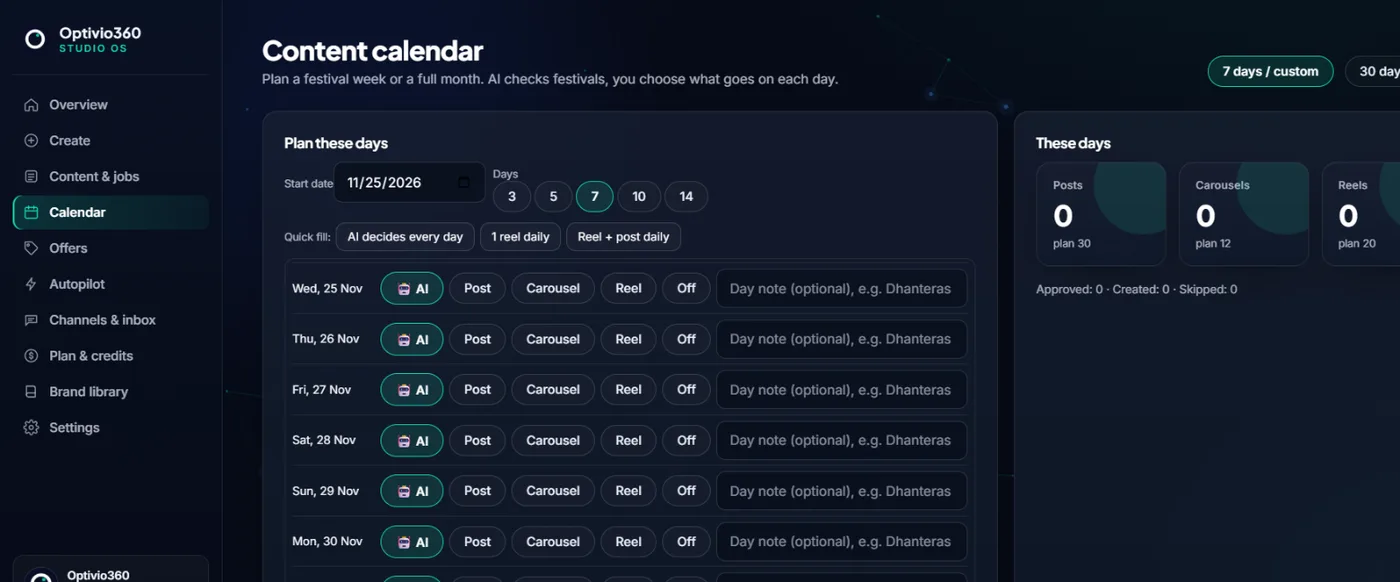
Festival-aware calendar
Plan a week or a month. AI finds the festivals and fills each day with a post, carousel or reel, the way you choose.
From idea to published post in three steps
Pick a template
Reel, carousel, product video, case study or AI image.
Add what it needs
A photo, a video, or one line. Studio OS asks only what that format needs.
Approve and publish
Check the draft, then publish to Instagram and Facebook in one tap.
Offers, autopilot and replies
Offers placed exactly
Add today's offer once. It goes into your content exactly as you typed it. The AI never invents prices or offers.
Autopilot
Daily trend research, post creation and publishing, with your approval before anything goes live.
Comment and DM replies
Automatic replies to comments and DMs from your Brand brain. Complaints and the words you choose always go to a person.
Google Business Profile
Post updates and photos and draft review replies from the same studio.
Templates and shot lists per business
Common questions
What is Studio OS?
Does anything get posted without my approval?
Can it make videos with my own face and voice?
Which channels does it publish to?
Where are the plans and documentation?
Start with one post. Keep the whole month.
Create your Studio OS workspace in minutes, or book a demo and we will set it up with you.